
Weekly flyer sales, turned into dinner.
Pick your stores and we'll build the week from what's on sale. Recipes and your shopping list are shaped around your budget, household size and the food you actually like.
Takes about 60 seconds.
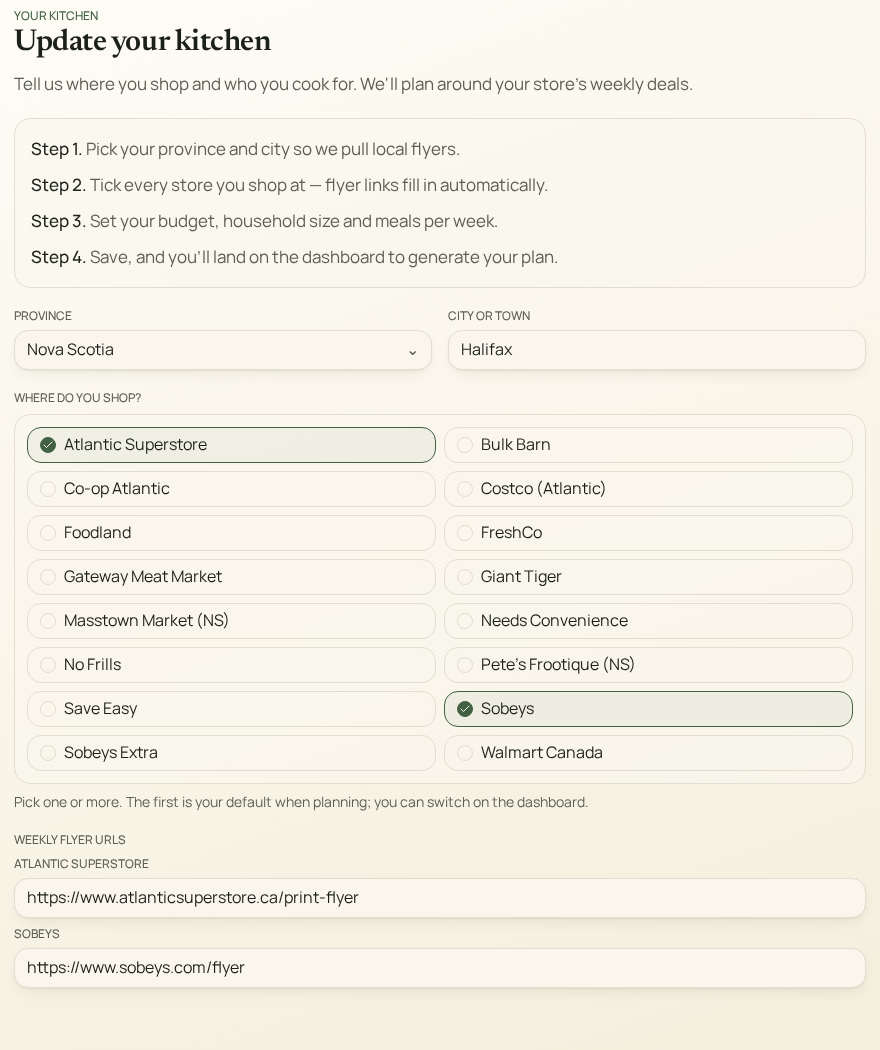
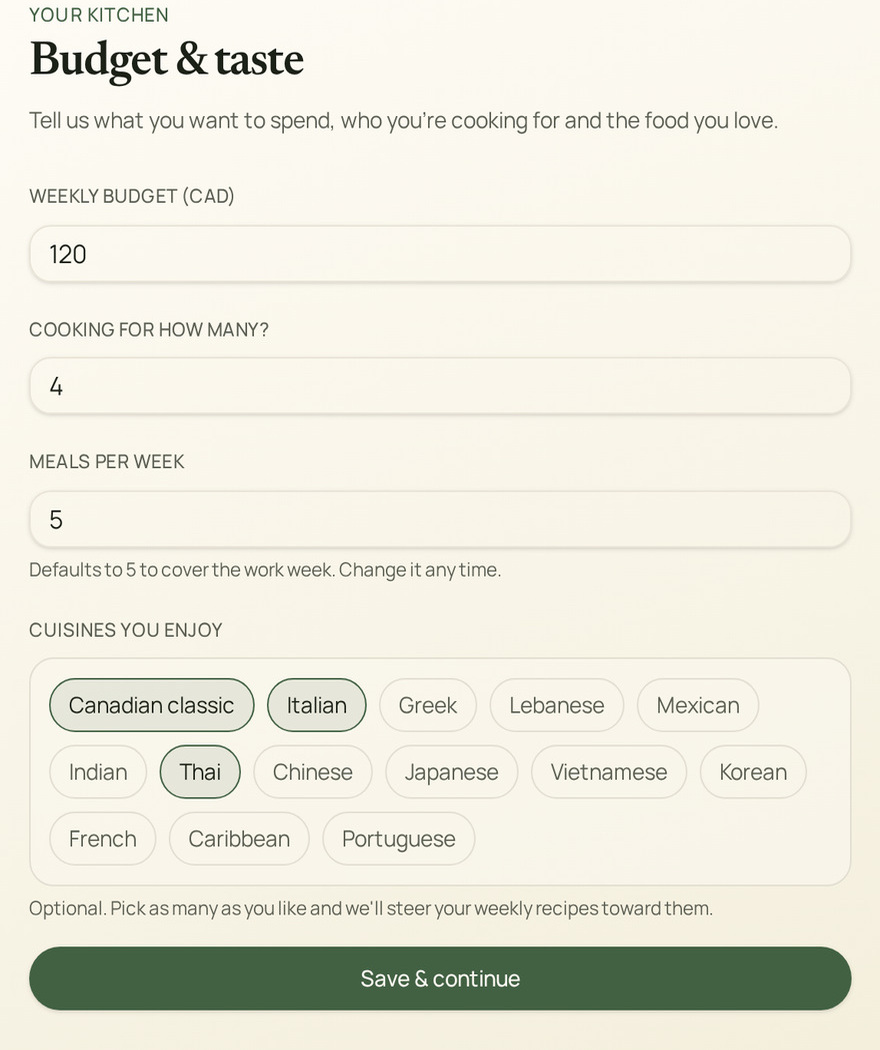
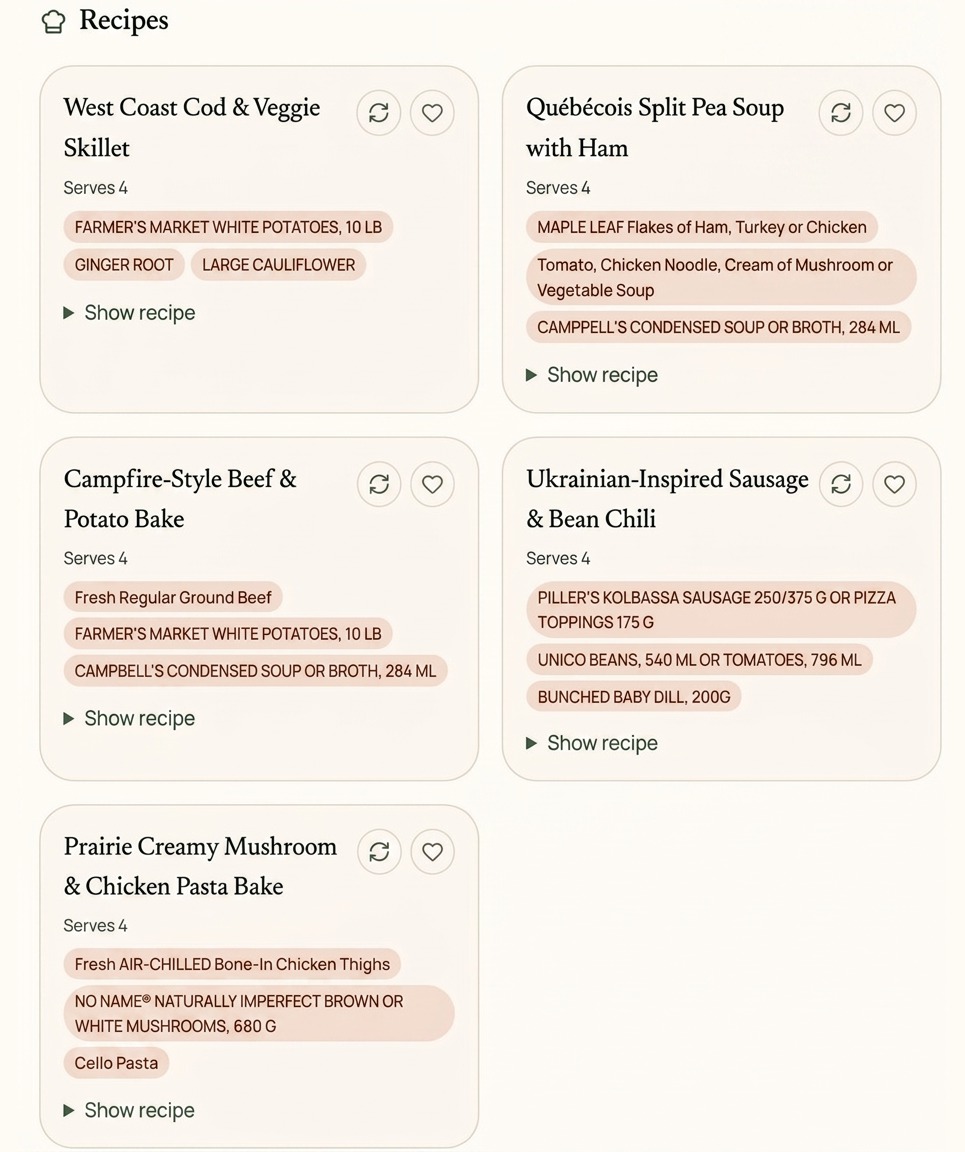
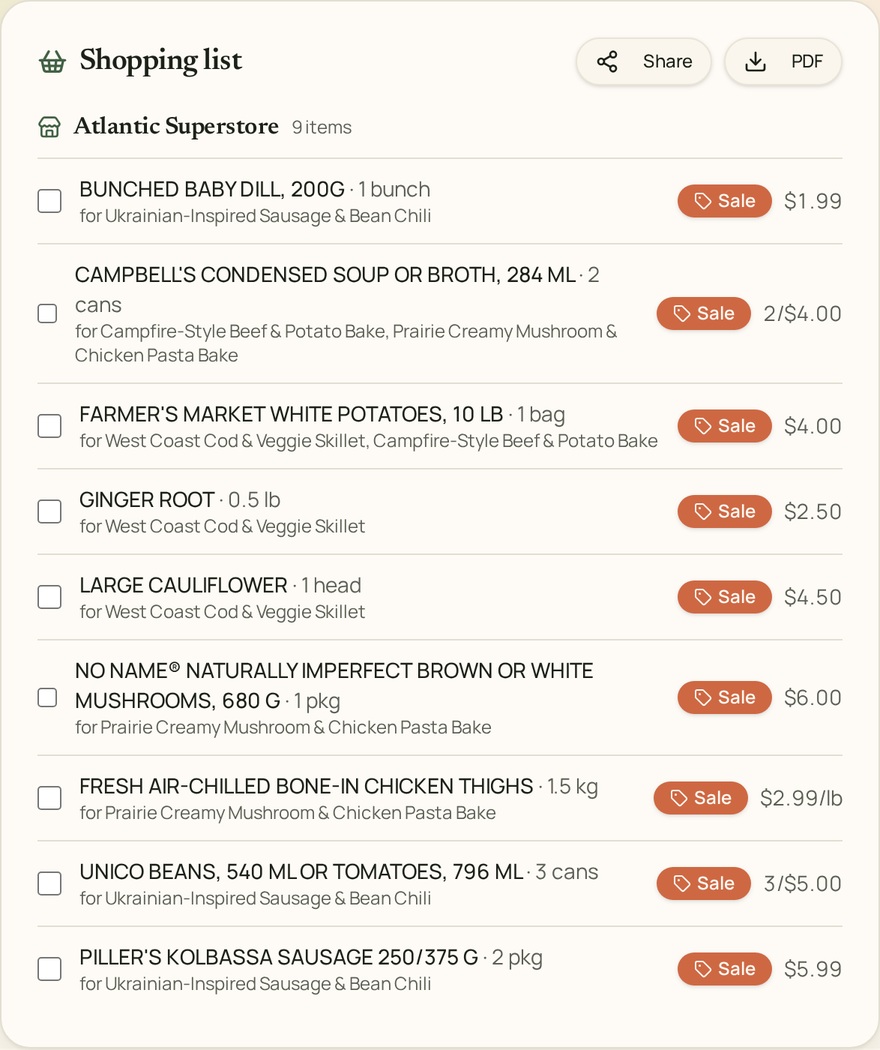
Set your store and budget
How it works
Three steps from sign-up to a full week of dinners.
- 1
Set up your kitchen
After signing in you land on Your kitchen. Pick your province and city, tick every grocery store you shop at, then set your weekly budget, household size and how many dinners you want.
- 2
Generate your plan
On the dashboard, open the “From flyer” tab, add any dietary notes, and press “Generate this week's plan”. We read this week's flyer for every store you picked.
- 3
Shop the list
Your recipes and a shopping list grouped by store appear below. Tick items off, swap any recipe you don't like, save favourites, or download the list as a PDF.
Already know what you need?
Paste your own grocery list and we'll check this week's flyers to tell you where each item is on sale or cheapest — across every store you selected.
Plan around deals
Recipes are designed to use what's actually on sale this week.
Stay on budget
One consolidated list with on-sale tags and a running total.